Babelarc vs Discord Translation Bots — Client-Side vs Server Bot
Discord translation bots translate text messages inside server channels (the bot replies). Babelarc translates client-side — any window's text plus voice chat that lets the other side hear you in their language. Two paths, big difference.
↓ Download Babelarc · No installerWhat Discord translation bots are — server-side text translators
Discord translation bots are bots installed in a Discord server. The core approach is to listen for text messages in a channel and post the translation as a reply, or trigger translation via an emoji reaction. Common modes: auto-translate a whole channel, command-translate a specific message, or a 🌐 reaction to translate a message.
For server admins and communities, translation bots have real value:
- Shared across the whole server — install the bot once, everyone in the server can use it, no individual software install.
- Translations stay in the channel — the translation persists as a message others can read too.
- Zero client install — users install nothing; the bot runs server-side.
But translation bots have three structural boundaries: ① they only work in servers where that bot is installed (a server you join that lacks the bot can't use it), ② they only translate text messages (voice channels are entirely out of reach), and ③ translations pile up in the channel (clutter — every message spawns a reply that takes up channel space).
Core difference — client-side vs server-side
The most fundamental difference between Babelarc and a Discord translation bot is which side the translation happens on:
Discord translation bot = server-side
- Translation runs on the server, shared by everyone — but only effective in servers where the bot is installed.
- Handles text messages only; can't touch voice channels at all.
- Translations get posted as replies cluttering the channel.
Babelarc = client-side
- Translation runs on your own machine, independent of any server configuration — any server you join, any DM, any channel works.
- Chat-Box Translate reads any Discord text you see on screen (channel messages / DMs / groups), showing the translation in a floating window, no channel clutter.
- Cross-Language Mic handles voice channels — you speak English, the other side hears target-language voice in the voice channel. A dimension a translation bot simply cannot do.
The key insight: a translation bot is a "server-shared, text-only, install-required" solution; Babelarc is a "personal, portable, text+voice, zero-server-dependency" solution.
Babelarc vs Discord translation bot — full feature comparison
| Capability | Discord translation bot | Babelarc |
|---|---|---|
| Text channel translation | ✅ Core feature | ✅ Chat-Box Translate |
| Needs bot installed on server | ⚠️ Required; useless on servers without it | ✅ Not needed; client-side works on any server |
| DM / group translation | ❌ Bots can't enter DMs | ✅ If you can see it on screen, it translates |
| Voice channel translation | ❌ Text only | ✅ Live Interpret to hear them + Cross-Language Mic to be heard |
| Let others hear your target language | ❌ | ✅ Cross-Language Mic |
| No channel clutter | ⚠️ Replies pile up in the channel | ✅ Floating window, channel stays clean |
| Apps beyond Discord | ❌ Discord only | ✅ Games / browser / VN / any window |
| Shared across the whole server | ✅ Install once, everyone uses it | ⚠️ Personal tool, individual install |
| Price | Mostly free / some premium subscriptions | Free tier + subscription plans |
The table tells the story: a Discord translation bot is a shared in-server text translation solution; Babelarc is a cross-server, text+voice, portable client solution. The bot fits "manage a multilingual server and share translation with everyone," Babelarc fits "I personally want frictionless communication across any Discord scenario, voice included."
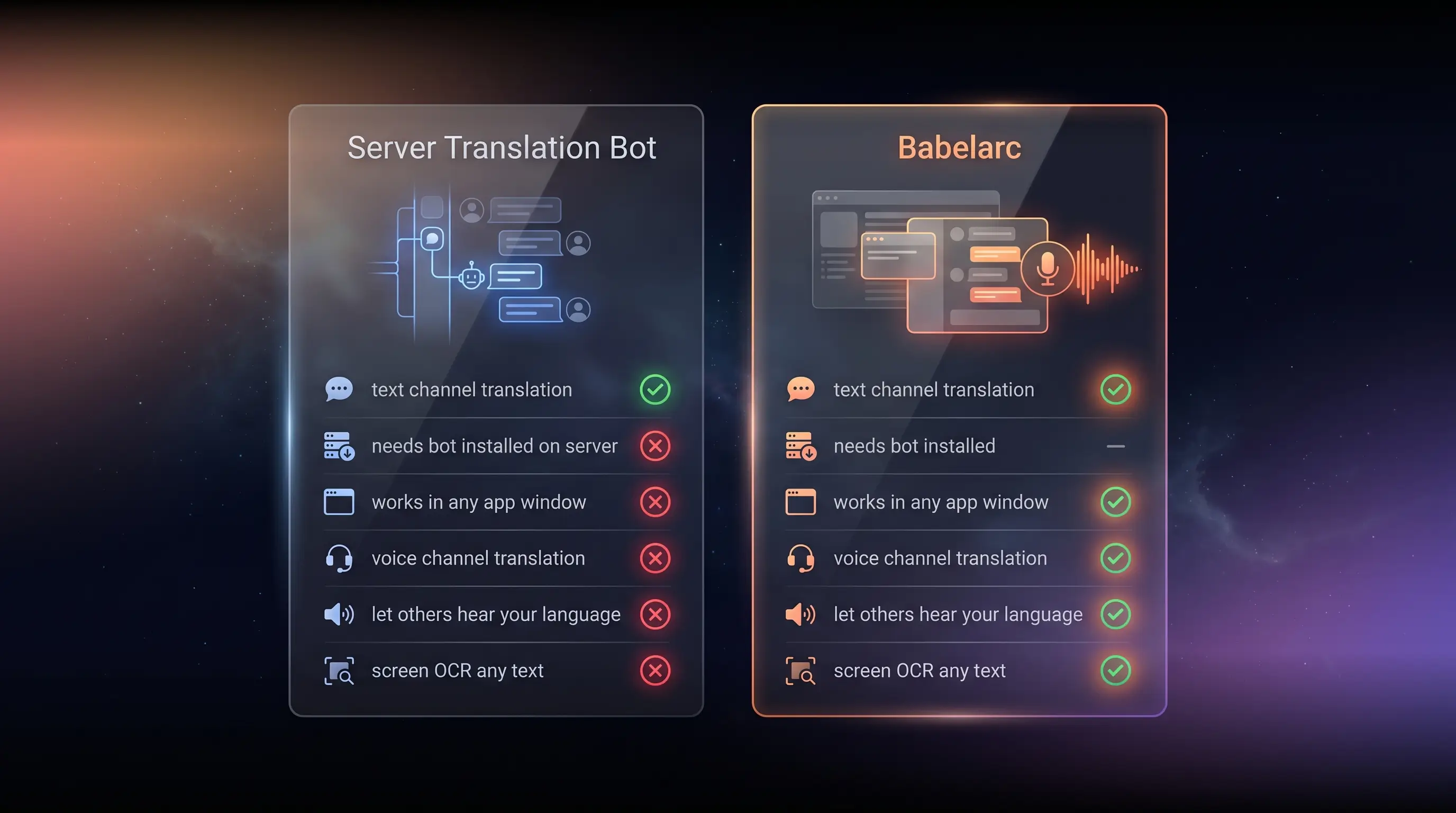
Which one fits which scenario
Pick a Discord translation bot when
- You manage a multilingual Discord server — install a translation bot to share with all members; messages auto-translate, good for community ops.
- Text-only channel community — no voice chat need, the bot's text translation suffices.
- You want translations to persist in the channel for reference — bot translations stay as messages.
Pick Babelarc when
- Discord voice chat with foreign friends — Cross-Language Mic lets them hear you in their language; bots are entirely powerless on voice.
- You joined a server without a translation bot — you can't install a bot on someone else's server; Babelarc's client-side translation works anyway.
- DM with a foreign friend — bots can't enter DMs; Babelarc's Chat-Box Translate handles it.
- Gaming while on Discord voice — Babelarc covers in-game text + Discord voice at once; the bot is only inside Discord text channels.
- You want one tool across Discord + games + streams + VN — the bot is Discord-only, Babelarc is all-scenario.
Multi-scenario switchers
The server you manage can run a bot for everyone, but the servers you join, DMs, voice channels, and in-game scenarios — the places the bot can't reach — go to Babelarc. You can pair them: bot for server-shared translation, Babelarc for personal all-scenario coverage.
Why Discord voice chat needs Babelarc
One of Discord's core scenarios is the voice channel — squad up, voice hang-outs, community voice events. Translation bots are entirely absent in this core scenario, because a bot can only read and write text messages; it can't touch the voice stream.
Babelarc Cross-Language Mic exists to fill that gap:
- You speak English → they hear target language in the voice channel — via a virtual microphone device plugged into Discord's voice input, the other side hears fluent target-language speech.
- They speak a foreign language → you follow via Live Interpret — Babelarc Live Interpret listens to the Discord voice stream, showing translation in a floating window.
- Two-way cross-language voice conversation — Cross-Language Mic (you speak) + Live Interpret (hear them) combined make genuine cross-language voice chat real.
That's why, for a gamer who "wants to voice-chat with foreign friends on Discord," Babelarc isn't a "better alternative" to a translation bot — it covers the voice dimension a bot fundamentally cannot.
FAQ
- Most Discord translation bots are free. Why does Babelarc cost money?
- Translation bots are mostly community-maintained, running on free API quotas, shared across the server. Babelarc is a client-side commercial product with translation energy in the service: free to sign up with energy granted at registration, and you can upgrade to a subscription plan for heavier use (see the pricing page). If you only need in-server text translation and a bot already exists, the bot saves money; if you need voice translation / cross-server / all-scenario coverage, Babelarc does what a bot can't.
- A server I joined already has a translation bot. Do I still need Babelarc?
- Depends on your needs. If you only post text in that server, the bot suffices. But the moment you want to ① voice-chat cross-language in that server's voice channel, ② use other servers without the bot, ③ DM foreign friends, or ④ game while on Discord — the bot can't reach those, and Babelarc fills them.
- Is Babelarc a Discord bot? Could it violate Discord's rules?
- No. Babelarc is an independent desktop client tool, not a Discord bot. It doesn't connect to the Discord API, doesn't auto-send messages, doesn't inject the Discord process. It only ① reads text you see on screen via OCR (Chat-Box Translate) and ② outputs voice through a virtual microphone device (Cross-Language Mic). It doesn't modify Discord or impersonate you — it's a tool that assists your own communication.
- How do I use Cross-Language Mic in a Discord voice channel?
- Babelarc Cross-Language Mic outputs through a virtual microphone device; in Discord voice settings, set the input device to the Babelarc virtual device. After that, when you speak English, the people in the Discord voice channel hear target-language voice.
- Translation bots can translate a whole channel history. Can Babelarc?
- Babelarc uses client-side OCR, translating what you currently see on screen (Chat-Box Translate can run continuously to follow scrolling new messages). To translate history, scroll up so it enters the screen. The bot-style "batch-translate an entire channel archive" use case isn't Babelarc's design goal — Babelarc is built for real-time communication.
- Can I use both?
- Absolutely — recommended: run a bot on the multilingual server you manage for shared text translation; use Babelarc for your personal voice chat / cross-server / DM / gaming scenarios. They complement each other.