Follow what foreign streamers are saying — chat too.
Japanese VTuber streams · Korean LOL pros · English PoE league guides — Live Interpret reads the streamer for you, Chat-Box Translate reads the chat panel.
↓ Download Babelarc · No installerWhy viewers use Babelarc on foreign streams
Watching a foreign-language stream has three things to bridge: what the streamer is saying, what other viewers are typing in chat, and how you actually join the conversation between the streamer and chat. Babelarc covers all three with two tools.
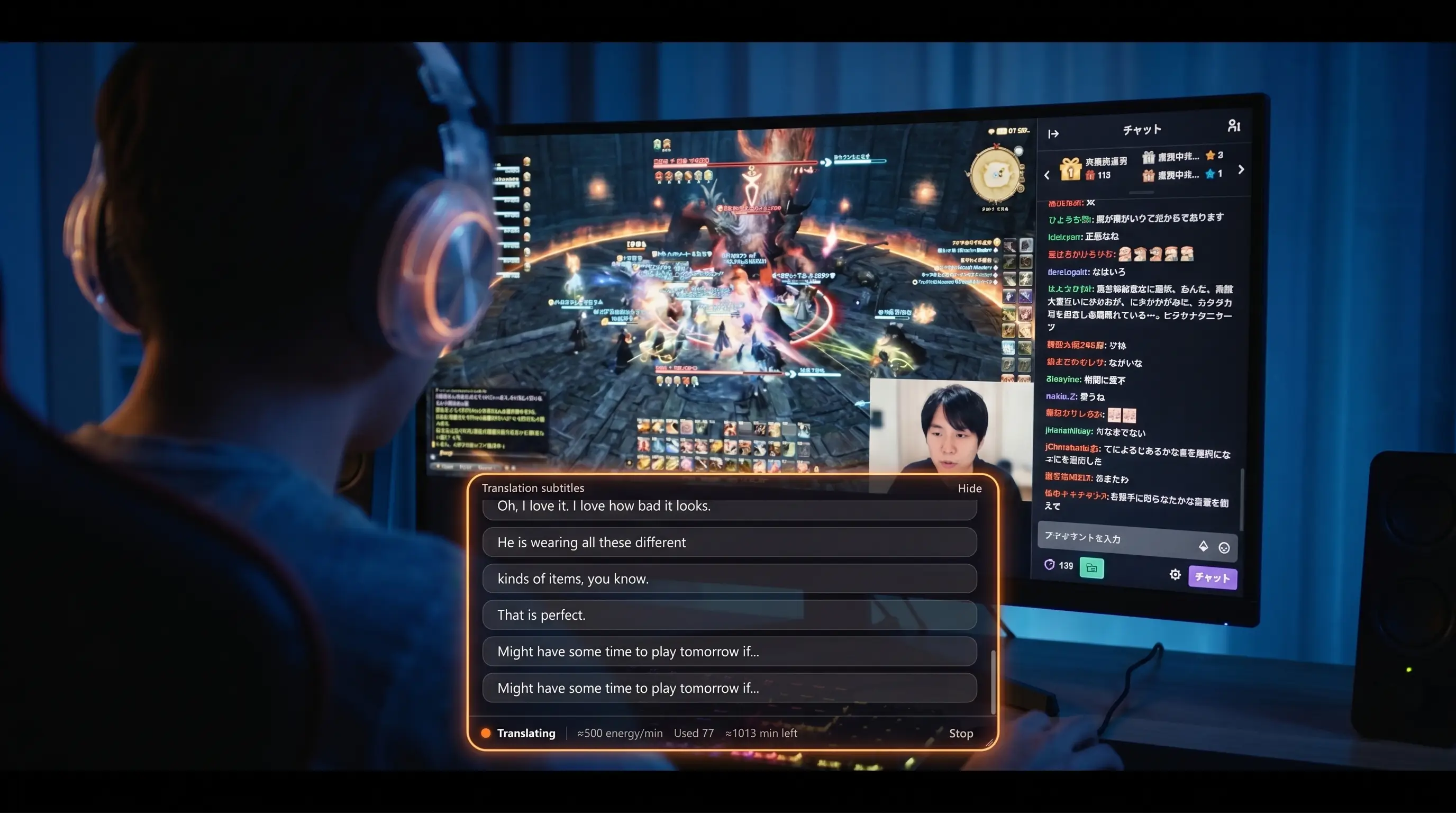
Live Interpret reads the streamer. Babelarc takes either the whole system-audio output or a specific process (browser, OBS, Discord) as input, transcribes and translates the streamer's speech into your language, and drops the subtitles into a floating window you can position anywhere on screen — out of the way, doesn't steal focus.
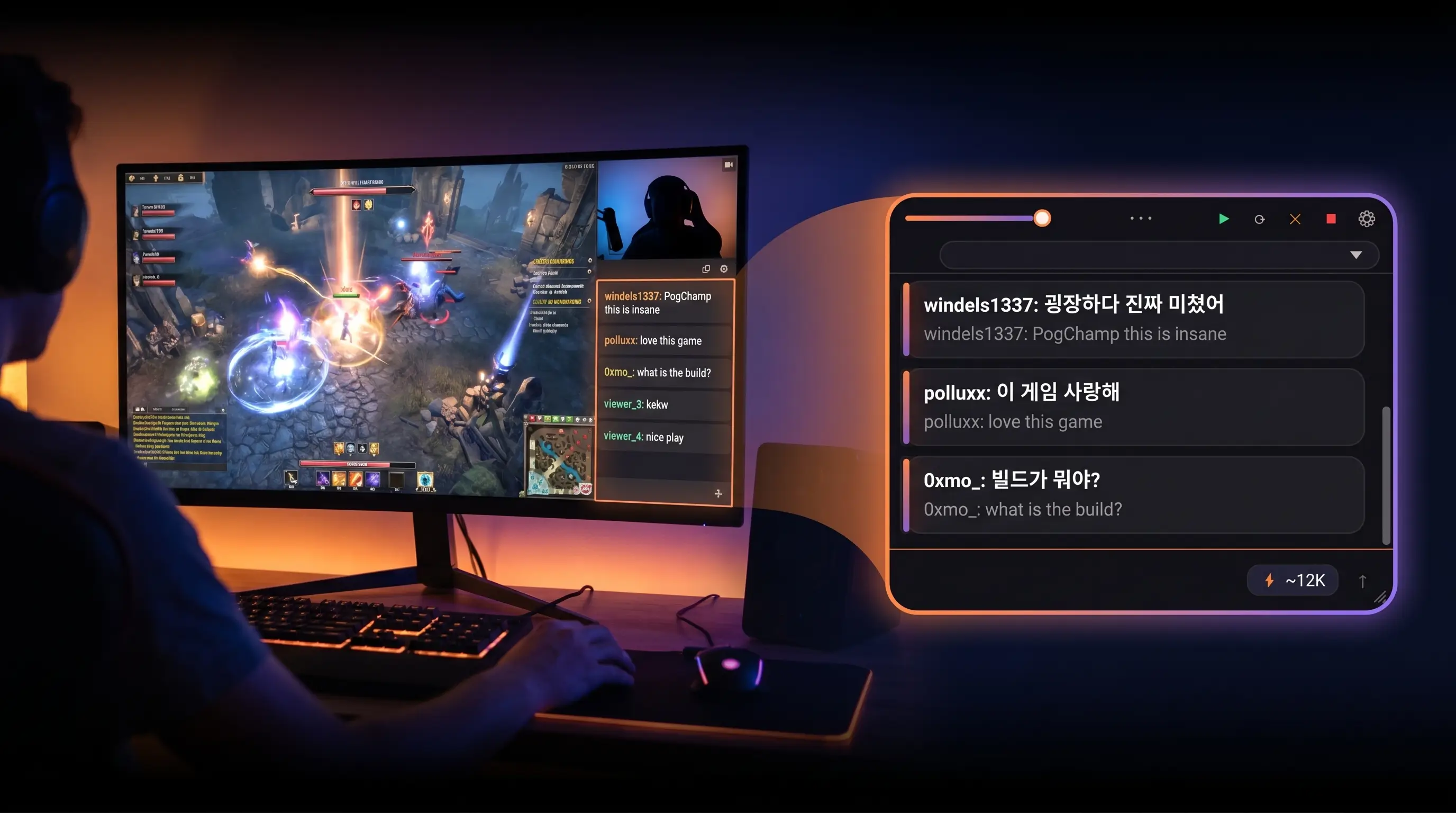
Chat-Box Translate reads chat — and writes it back. Frame the stream's chat panel and Babelarc samples it in a loop, translating new chat lines as they scroll. Twitch English chat, YouTube Japanese chat, AfreecaTV Korean chat — translated next to the original. Reverse-direction input is built in too: type what you want to say in any language, pick the target language, Babelarc translates it for you to copy-paste straight into the chat input box. From silent reader to active participant in the streamer-and-chat conversation.
Critically: everything happens on the viewer's end. Babelarc reads your screen and your system audio, doesn't modify the stream, doesn't call the platform's API, doesn't need any streamer-account access. From the platform's side you look like any other viewer.
The toolkit, used on streams
Live Interpret (Ctrl + Alt + D) — listen to the streamer
Pick an audio source (whole system / browser process / OBS process), pick a target language. Streamer speaking Japanese? Subtitles in English / Chinese / Korean / whatever you set. The subtitle window floats in a screen corner — drag it where it doesn't cover the stream's main canvas.
Chat-Box Translate (Ctrl + Alt + A) — read chat, write chat
Frame the chat panel on Twitch / YouTube / AfreecaTV / wherever, Babelarc samples it in a loop and translates new lines. One hotkey tap = one incremental translation; tap-tap-tap during slow chat, or flip auto-translate for fast chat and let Babelarc keep up. The other direction works the same way — type a message in any language, pick the target language, Babelarc translates it for you to copy-paste into the chat input box. Now you can greet the streamer, reply to other viewers, become part of the conversation.
Flash Translate (Ctrl + Alt + S) — one-shot text on the streamer's screen
Streamer pulls up an in-game item tooltip in English? A foreign-language web page? Ctrl + Alt + S, drag a frame, get the translation. Read, close, done.
Supported streaming platforms
Because Live Interpret uses system or process audio and Chat-Box Translate uses screen-region OCR, platform doesn't matter. As long as the stream plays on Windows (browser, official desktop app, OBS re-stream), Babelarc works:
| Platform | Common languages | Audio | Chat translate |
|---|---|---|---|
| Twitch | EN / KR / JP / ES / and more | ✅ | ✅ |
| YouTube Live | all major languages | ✅ | ✅ |
| AfreecaTV | Korean-dominant | ✅ | ✅ |
| Bilibili overseas section | JP / KR / EN | ✅ | ✅ |
| Niconico live | Japanese-dominant | ✅ | ✅ |
| Kick.com | English | ✅ | ✅ |
| VTuber streams (Hololive / Nijisanji / indie) | JP / EN | ✅ | ✅ |
Mobile isn't supported — Babelarc is a Windows desktop application. Watch your foreign streams on a PC browser or the platform's desktop client.
How viewers actually use Babelarc
Scenario 1 · Watching a Hololive / Nijisanji VTuber stream
Your oshi is on YouTube doing a Japanese-language zatsudan. Open Babelarc Live Interpret, pick the YouTube browser process as the audio source, drag the subtitle window into the bottom-left where it doesn't cover the VTuber's tachie. Live English subtitles as she talks. Frame Chat-Box Translate over the YouTube live-chat panel and you also see translated English-circle viewer comments — bidirectional reading.
Scenario 2 · Watching a Korean Lost Ark guild practice stream
A Korean streamer on AfreecaTV is running a guild practice for the new raid. Ctrl + Alt + D for Live Interpret, audio source = the browser tab, subtitles in English. Ctrl + Alt + A to frame AfreecaTV's chat panel — Korean viewer chat shows up translated. Set once, reuse on every AfreecaTV stream.
Scenario 3 · Watching an English PoE league-launch breakdown
Path of Exile drops a new league, a high-profile English streamer on Twitch is breaking down builds. Live Interpret on the streamer's voice. Chat-Box Translate over Twitch chat for the build-discussion thread. Streamer pulls up an English build planner — Ctrl + Alt + S to Flash Translate it instantly. Watch and learn at the same time.
FAQ
- Will using Babelarc on a stream get me banned?
- No. Babelarc runs entirely on the viewer side — it reads your own screen and your own system audio, doesn't modify the stream, doesn't call the platform's API, doesn't need streamer-account access. From the platform's perspective you look like any other viewer.
- Can the subtitle window float over the stream without blocking the view?
- Yes. The subtitle window is an independent draggable floating window — put it bottom-left, bottom-right, near the chat panel, wherever. Semi-transparent background so it doesn't pull focus away from the stream.
- Can chat translation keep up with fast chat?
- Yes. Flip auto-translate on and Babelarc samples the chat panel in a loop, translating new lines as they scroll. For tighter control during bursts, one hotkey tap = one incremental batch — tap-tap-tap matches whatever pace you want.
- How well does translation handle streaming slang and chat shorthand?
- Common streaming slang ("草", "kekw", "PogChamp", "wkwk", "ttt") tends to translate fine — the upstream AI service has seen plenty of it. For sharper accuracy, switch to Quality tier in settings and add the current app name to the Translation Enhancement field — that gives the translator extra context and produces noticeably better results.
- Can I use Babelarc on mobile?
- No. Babelarc is a Windows desktop application. Watch your foreign streams on a desktop / laptop browser or the platform's desktop client. Mobile / tablet stream apps aren't supported.