Play MMOs in any server. Read every word your team says.
Korean LOL · Japanese FFXIV · Lost Ark · Mabinogi — real-time translation for chat, quest text and voice. Screen-capture only, no game-memory reads.
↓ Download Babelarc · No installerWhy MMO players choose Babelarc
Mechanically, Babelarc does four things —
① Screen-capture only. Babelarc captures a screen region you define, reads the text in it, and sends that text to the translator. It never reads the game process's memory and doesn't need ownership of the game window.
② No game-memory reads. Most VN / MMO translation tools hook into the game's memory pointers to lift text. That approach is treated as suspicious by some MMO anti-cheat systems. Babelarc takes the other path — out-of-process OCR on the screen — so anti-cheat doesn't see us.
③ No process injection. Babelarc does not inject code into the game executable, does not hook the game process, does not paint overlays inside the game's window. Babelarc is a standalone Windows application, fully isolated from the game.
④ Energy follows the account, not the game. Your energy balance is tied to your Babelarc account, so the same balance works across every game and every machine you sign in on.
One thing worth stating clearly: whether a specific anti-cheat flags Babelarc is up to that anti-cheat vendor. What we can promise is the mechanism (screen-capture only / no memory reads / no injection); actual compatibility depends on player-community testing.
The four-tool kit, used in MMO scenarios
Chat-Box Translate (Ctrl + Alt + A)
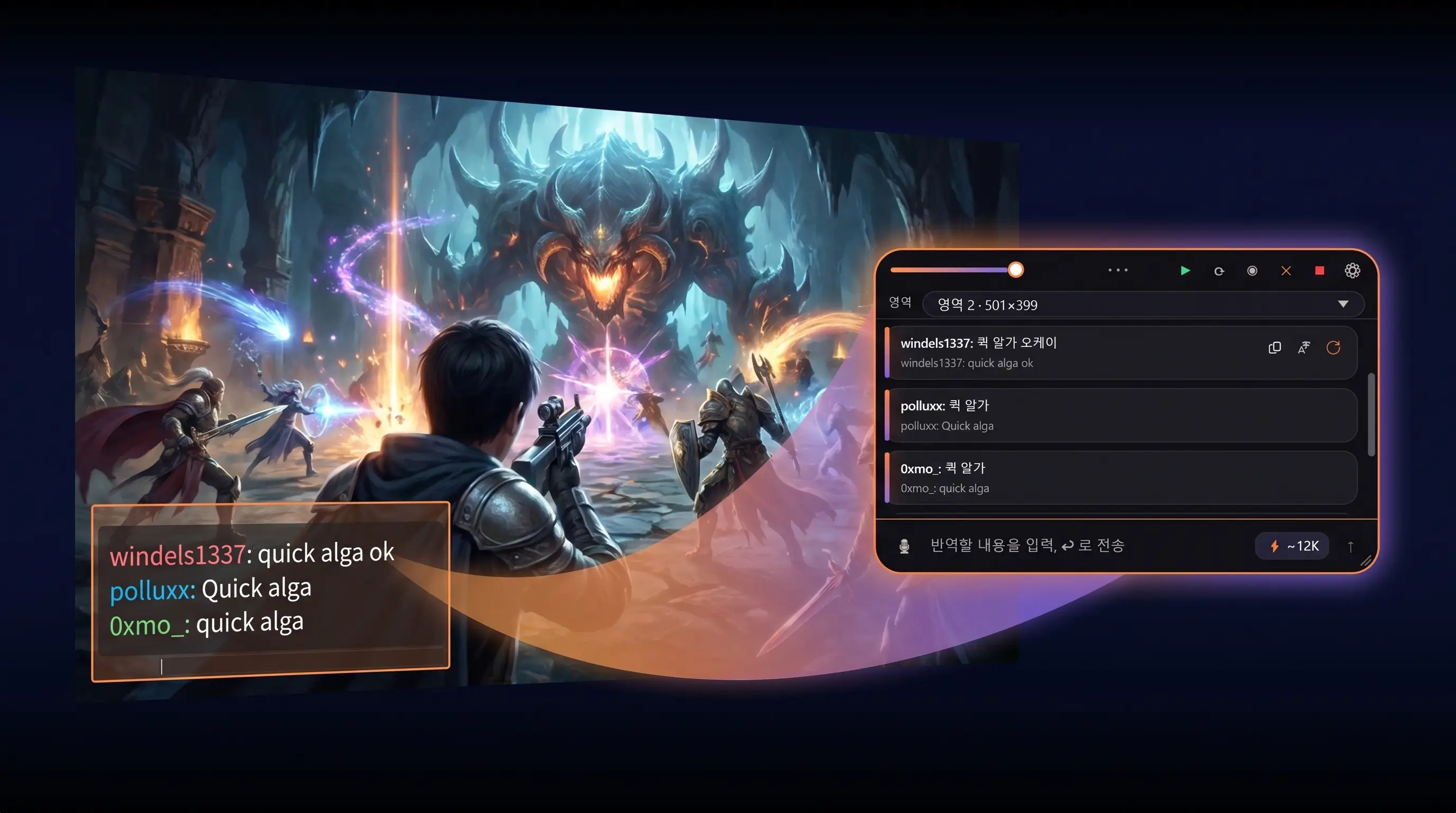
Frame a region around the in-game chat box. Babelarc samples that region in a loop and automatically translates every new message that appears. Good for: zone chat / guild chat / party chat / DMs. One hotkey press = one incremental translation; you can keep tapping it, or flip the auto-translate switch and forget about it.
Flash Translate (Ctrl + Alt + S)
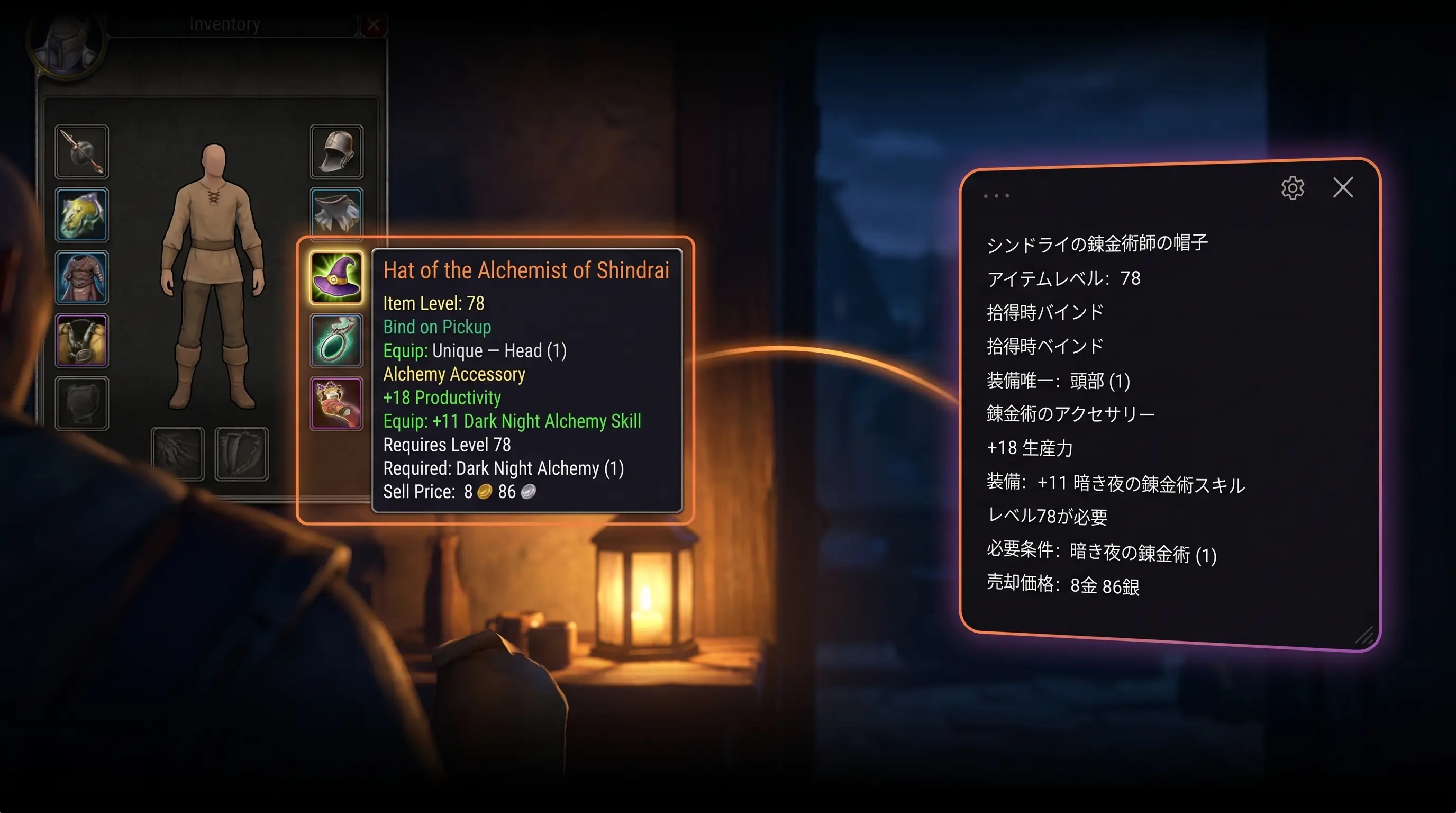
Hit the hotkey, draw a frame over anything on screen, get one translation. Perfect for: quest text / NPC dialogue / item tooltips / equipment stats — anything you only need to read once. Typical response time is 1–2 seconds, depending on network and whether you're on Fast or Quality tier.
Live Interpret (Ctrl + Alt + D)
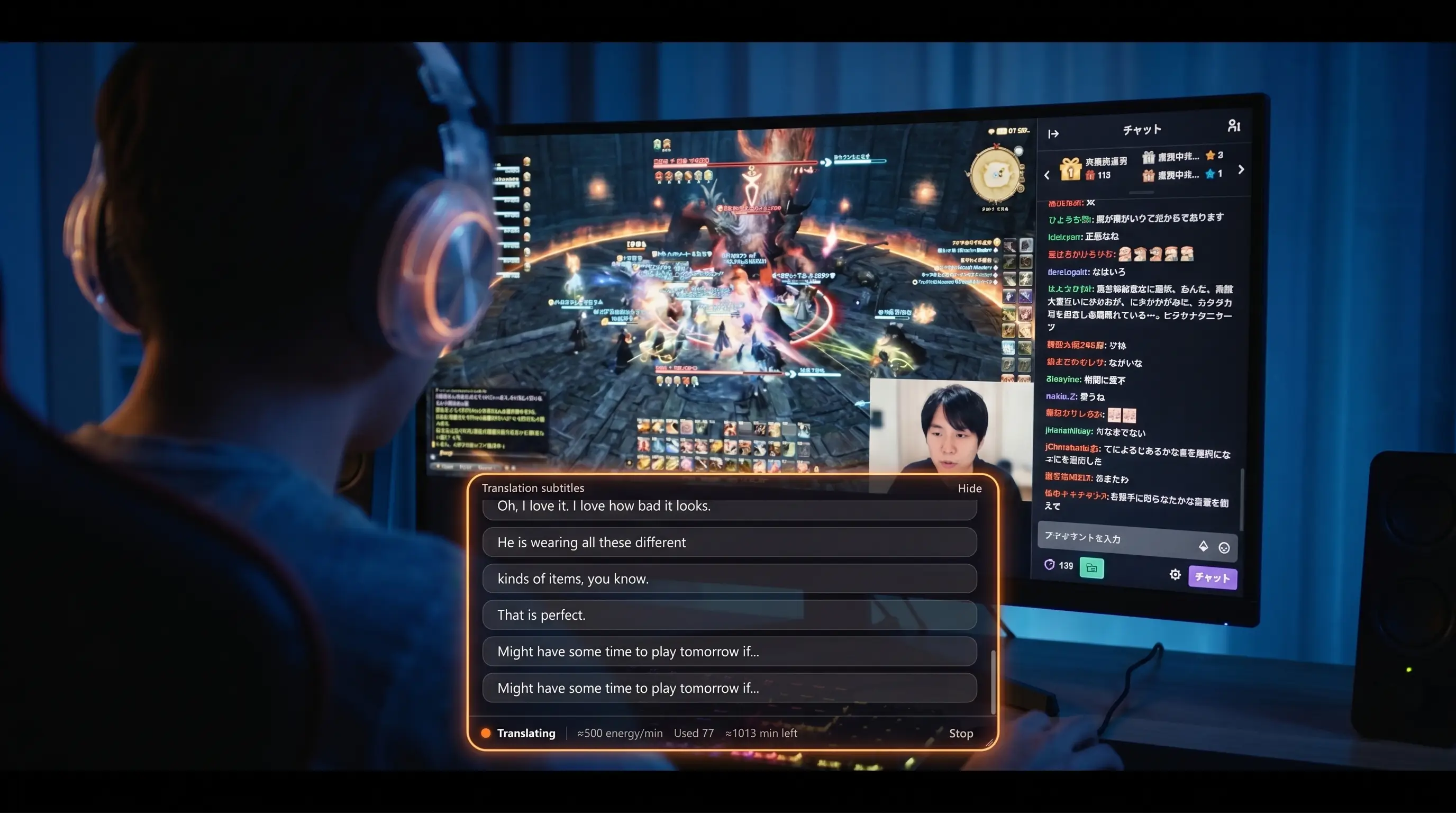
Want to follow a Japanese streamer's raid commentary on Twitch, or a Korean streamer's guide on YouTube? Live Interpret takes the entire system-audio output channel, or pinpoints one specific process, as the input — then drops real-time subtitles in your language into a floating window you can position anywhere on screen.
Cross-Language Mic (Ctrl + Alt + F)
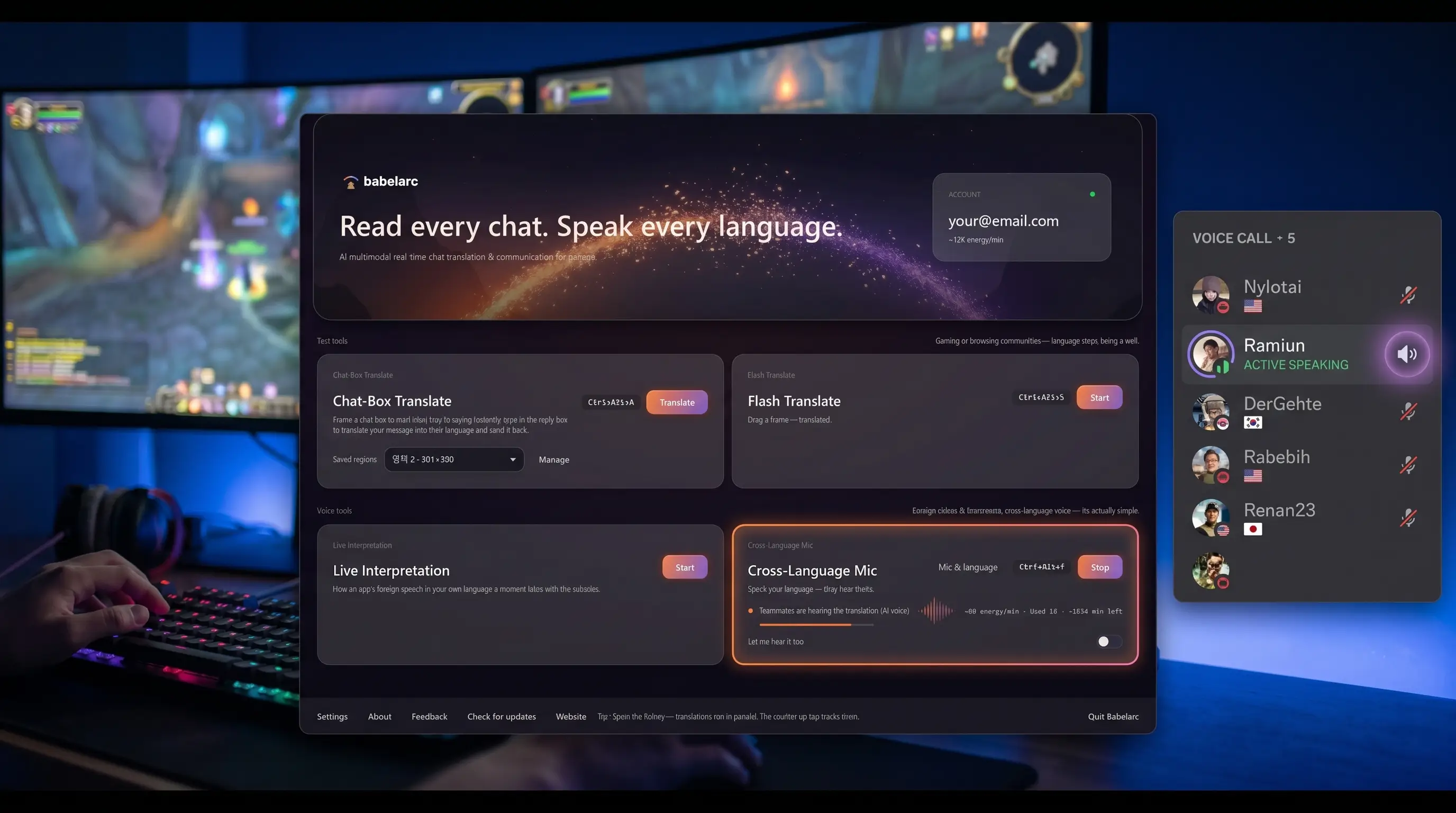
This is the cross-language party-up tool. You speak your language; Babelarc translates it and pushes the translated speech through a virtual mic device into your game voice / Discord / TeamSpeak. At the same time, the foreign-language voice your teammates send back is subtitled in your language. Neither side has to switch languages.
MMOs and servers players have tested
The screen-capture mechanism means Babelarc works on basically any MMO that runs on Windows. Here's what the player community has tested — for reference, your mileage may vary:
| Game | Server | Chat | Quest / Item | Voice |
|---|---|---|---|---|
| Final Fantasy XIV | JP / Global | ✅ | ✅ | ✅ |
| Lost Ark | KR / NA / EU / JP | ✅ | ✅ | ✅ |
| Mabinogi | KR / CN | ✅ | ✅ | ⚠️ BGM bleeds |
| Black Desert | KR / NA / EU / JP | ✅ | ✅ | ✅ |
| MapleStory | KR / JP / GMS | ✅ | ✅ | ✅ |
| League of Legends | KR LCK / JP / NA | ✅ | — | ✅ (pair with voice chat) |
| PUBG | Global / KR / JP | ✅ | — | ✅ |
| Escape From Tarkov | Global / RU | ✅ | ✅ | ✅ |
| Genshin Impact | Overseas | ✅ | ✅ | ✅ |
If your game isn't on this list, that doesn't mean it won't work — the screen + text-recognition approach is basically game-agnostic.
How MMO players actually use Babelarc
Scenario 1 · Reading your teammates on Korean LOL
You just rolled onto KR LOL servers, and every match starts with your teammates spamming things like "ㄱㄱ", "백퍼", "노답". Not knowing Korean is basically being mute and deaf in your own team.
Open Babelarc, hit Ctrl + Alt + A, frame the in-game chat box (bottom-left in KR LOL by default), turn auto-translate on. "ㄱㄱ" becomes "let's go", "백퍼" becomes "100%", "노답" becomes "no chance" — and you can finally understand what your team is saying to you.
Scenario 2 · Catching guild strats in a Japanese FFXIV raid
You're in a Japanese FFXIV guild, and your 28-player raid leader is calling out mechanics in Japanese on Discord — every voice transmission is a wall of Japanese audio.
Open Babelarc, hit Ctrl + Alt + D, point Live Interpret at the Discord process, position the subtitle window at the edge of your game view. The raid leader's Japanese calls land as English subtitles in real time. Still stuck on a quest description? Ctrl + Alt + S, frame the NPC dialogue, instant translation.
Scenario 3 · Playing Korean Mabinogi for the story
Korean Mabinogi has years of story content that never made it to your region. You re-roll on KR servers for the lore but the Korean quest text is a wall you can't climb.
Open Flash Translate (Ctrl + Alt + S), frame the current quest dialogue box, read the English translation that pops up instantly. Pair it with Chat-Box Translate sitting on guild chat and you've effectively given yourself a Mabinogi "fan localisation" — you read the story and chat with your KR guild at the same time.
Following foreign streamers on the same game you play
The best FFXIV ultimate strats are on Japanese streams. The deepest Lost Ark raid practice runs are in Korean. PoE league-launch breakdowns are in English. The knowledge you actually need is on a stream you don't understand.
Live Interpret fixes that. Ctrl + Alt + D, select Twitch / YouTube / OBS or any specific audio-producing process as the input source, the subtitle window floats in a corner of your screen. The streamer speaks, Babelarc subtitles their speech in your language in real time. Pair it with Chat-Box Translate framed over the stream's chat panel and you get translated viewer chat too — watching a foreign streamer ends up feeling like watching a streamer from your own region.
Squadding up across languages
Your guild dragged you into a late-night raid with Korean players. Voice chat is solid Korean. You want to shout "boss incoming" but you don't speak Korean, so all you can do is type — and by then it's too late. Cross-Language Mic is built exactly for this.
Ctrl + Alt + F to start, pick your mic and source language, and Babelarc takes over the virtual mic device. You speak English; what reaches your teammates through the game voice / Discord / TeamSpeak is the Korean translation of what you said. At the same time, the Korean voice they're sending back arrives as English subtitles on your screen. Neither side has to switch languages.
FAQ
- Will anti-cheat flag Babelarc as a hack?
- Mechanism statement: Babelarc only reads from the screen, doesn't read the game process's memory, doesn't inject code into the game. Whether any specific anti-cheat flags us is up to that anti-cheat vendor — go by what the player community has tested.
- Can Babelarc read the in-game chat box while a KR LOL client is running?
- Yes. Chat-Box Translate works by framing a screen region and reading the Korean text inside it.
- Can I use Babelarc in fullscreen?
- Borderless or windowed modes are recommended. Some games block screen-overlay layers when running in exclusive fullscreen.
- Is translation fast enough to keep up with in-game chat?
- Flash Translate typically responds in 1–2 seconds (depends on network and Fast / Quality tier choice). Chat-Box Translate gives you one incremental translation per hotkey tap — keep tapping for instant updates, or turn auto-translate on and stop worrying about it.
- Will my Korean guild notice that I'm using a translator?
- Babelarc doesn't inject any text or code into the game. The guild sees nothing on their end.
- Can I adjust the chat region if the chat box is an irregular shape?
- Yes. Chat-Box Translate supports custom-framed regions and you can save a separate region profile per game.
- Can Live Interpret pick up a foreign streamer's raid commentary?
- Yes. Live Interpret takes the whole system-audio output, or pinpoints one specific process — that's how you listen to Twitch / YouTube streams and get real-time translated subtitles.