Voice-chat across languages — everyone in their own tongue.
Discord multinational hangout channels · overseas-community voice rooms · MMO guild raids · cross-border squad-ups · cross-language meetings — Cross-Language Mic keeps both sides in their own language; Babelarc handles the rest.
↓ Download Babelarc · No installerWhy players run Babelarc for voice chat across languages
A cross-language voice conversation needs two things: understanding what the other side is saying, and making yourself understood when you speak. Babelarc covers each direction with one tool —
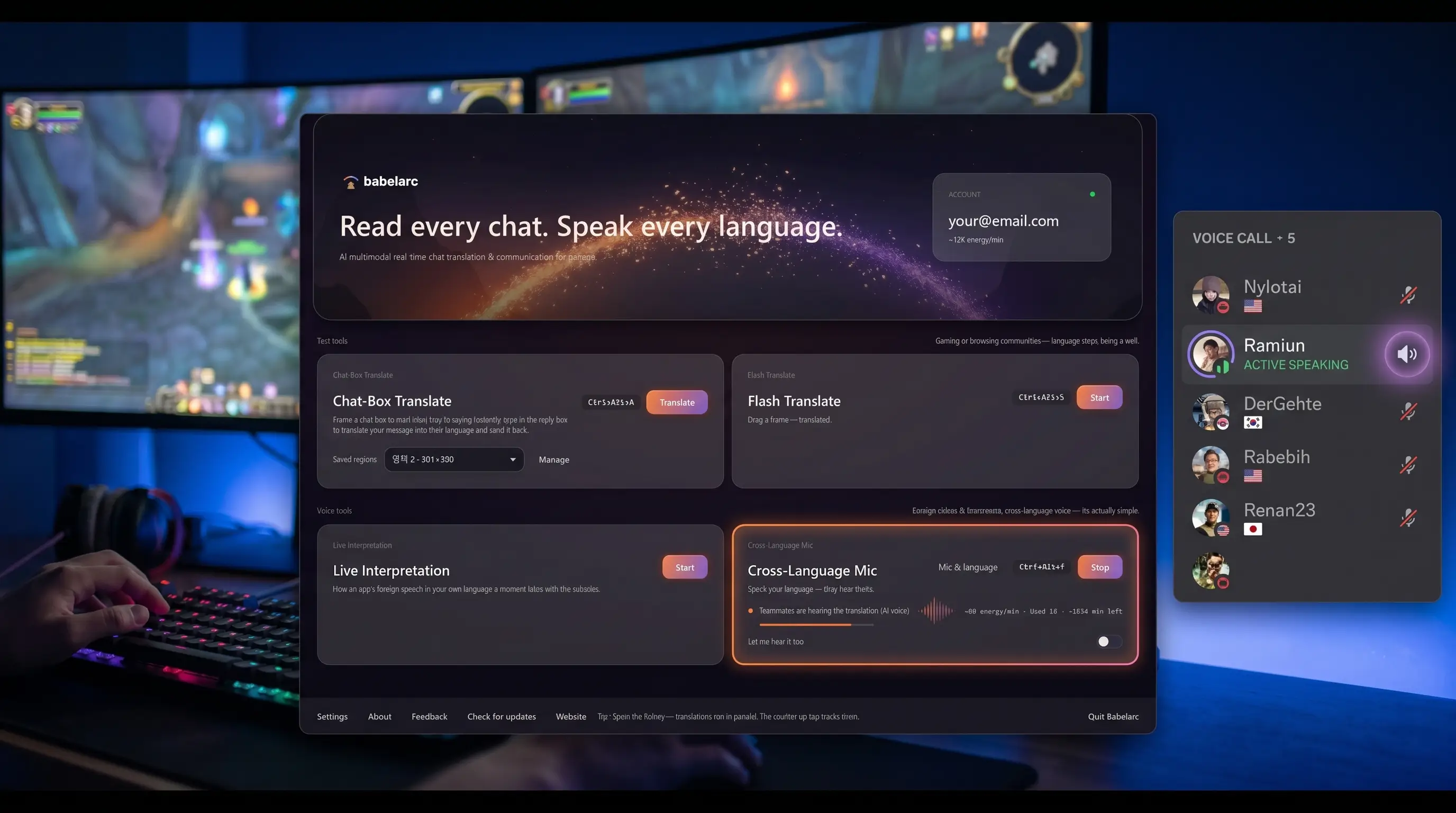
Live Interpret — understand what they say. Babelarc captures the voice-chat audio coming in (Discord / TeamSpeak / in-game voice / etc.), transcribes and translates it into floating subtitles in your language on your screen. Whatever language the other side speaks, you read your own — English, Chinese, Japanese, Korean, whatever you set.
Cross-Language Mic — make yourself understood. Cross-Language Mic registers a Windows virtual microphone device when you start it. Set the mic in Discord / TeamSpeak / Steam voice / your in-game voice settings to the Babelarc virtual mic. You talk in your language; Babelarc translates to the target language in real time; the virtual mic delivers the translated speech to the platform.
No injection into the game or Discord. Babelarc is a standalone Windows application — no code injected into game.exe, no hooks into the Discord client, no platform account access required. From the game's and Discord's perspective you're using a perfectly ordinary microphone device.
Energy follows the account. Energy lives on your Babelarc account, shared across every game and every machine. PC voice chat tonight, laptop tomorrow — same balance.
Tools for voice-chat scenarios
A cross-language voice conversation needs two things: understanding what the other side is saying, and making yourself understood when you speak. Babelarc covers each direction with one tool — used together, they make a real cross-language voice conversation possible.
Live Interpret (Ctrl + Alt + D) — understand what they say
Pick an audio source (whole system / Discord process / TeamSpeak process / in-game voice process / etc.) and a target language. The other side talks in English? Floating subtitles appear in your language — Chinese, Japanese, Korean, whatever you set. Drag the subtitle window to a corner that doesn't cover your game view. Now you can follow what's being said.
Cross-Language Mic (Ctrl + Alt + F) — make yourself understood
Pick your mic device and source / target language, Babelarc takes over the virtual mic. In Discord / TeamSpeak / Steam voice / your in-game voice settings, set the mic device to the Babelarc virtual mic. You talk in your language; the other side hears theirs. Now your words land where they need to.
The two tools work as a pair — Live Interpret lets you understand the other side, Cross-Language Mic lets you speak so they understand you. Together they make a cross-language voice conversation actually possible.
Supported voice platforms
Virtual mic uses the Windows standard audio device API; Chat-Box Translate uses screen-region OCR. Together they cover any Windows-based voice platform:
| Platform | Voice translation | Virtual mic |
|---|---|---|
| Discord | ✅ | ✅ |
| TeamSpeak | ✅ | ✅ |
| Mumble | ✅ | ✅ |
| Steam Voice (friends / group) | ✅ | ✅ |
| In-game voice (VALORANT / Apex / Overwatch etc.) | ✅ | ✅ |
| Skype / Zoom / Teams (off-game backup) | ✅ | ✅ |
If a Windows app accepts a microphone input, Babelarc's virtual mic plugs into it. The table just lists what gamers use most.
How players actually use Babelarc
Scenario 1 · Discord international-community / interest-group voice rooms
You joined an international Discord server — could be a multi-national anime fan club, a language-exchange community, an overseas-game fan server. The voice rooms have people speaking Japanese about new anime, English about game news, others practising spoken foreign languages. You don't follow what's being said and end up sitting there listening passively.
Cross-Language Mic on (Ctrl + Alt + F), source language English, target whatever language dominates the room. Discord mic set to Babelarc virtual device, join the voice room. You jump into the conversation in English; others hear your contribution in their language. What they say comes back as English subtitles in the corner. From silent listener to active cross-language participant.
Scenario 2 · Steam Voice with overseas PUBG friends
You met some Steam friends through PUBG matchmaking, now you squad up regularly. Steam Voice uses the Windows mic device. Cross-Language Mic on, source/target languages set, Steam Voice mic switched to Babelarc virtual. From there you talk in English, they hear their own language, and their callouts arrive as subtitles. When the circle's closing you don't have time to type — you talk.
Scenario 3 · VALORANT foreign-server squad with Korean teammates
VALORANT KR server squad-up, the game's built-in voice chat is the comms channel. In the game's voice settings, set the mic device to Babelarc virtual mic. Push-to-talk (default V) works normally — Babelarc just sits between your real mic and what VALORANT sends out. You speak English, Korean teammates hear Korean. Their callouts come back as floating subtitles in English while you focus on the screen.
FAQ
- What does my teammate actually hear? Is it an AI voice?
- Your teammate hears Babelarc's real-time AI-synthesised speech in the target language. It's clear and easy to follow — the AI voice is tuned for gamer comms (cadence, intonation, fast enough for callouts).
- Will translation delay break realtime conversation?
- Typical end-to-end delay sits in the 1-2 second range, which fits how strat discussion / callouts / coordination actually flow at the table. Cross-language squads already work in slightly-paced beats while everyone parses the other side; this matches that rhythm.
- Does Discord push-to-talk still work with Cross-Language Mic?
- Yes. Push-to-talk gates Discord's mic input device — as long as Discord's mic device is set to the Babelarc virtual mic, PTT works normally. Press PTT, talk, Babelarc translates, virtual mic emits, Discord sends.
- Can I hear my teammate's original voice while seeing subtitles?
- Yes. Cross-Language Mic and Live Interpret can run together — the floating subtitle window in the corner shows the translation of what teammates are saying so you can cross-check against the audio in real time.
- Will anti-cheat get triggered by Babelarc's virtual microphone?
- Virtual microphones use the standard Windows audio-device API (the same mechanism streaming software and recording apps use). Anti-cheat generally doesn't care which microphone device you have selected. Babelarc itself doesn't inject code into the game, doesn't read game memory, doesn't paint overlays inside the game window. Whether any specific anti-cheat flags us is up to that anti-cheat vendor; go by what the player community has tested.
- What about multi-person voice chat (5-person squad with 4 foreigners)?
- Babelarc transcribes the mixed audio stream you're hearing and shows the translation in time order in the subtitle window. When multiple teammates talk at once you'll see their callouts serialised — same way human listening parses a busy voice channel.
- Will my Discord / Steam profile show I used translation?
- No. Babelarc only takes over the mic output device on your end — it doesn't touch your platform account, doesn't send any extra identifier, doesn't show up in your profile. From the account side you look like any other player.